
AI Meet Up · Recap · Wednesday, November 4, 2026 · Provo

What we learned.

On November 4, 2026, seven people showed the AI tools they actually use at work and at home, then answered every question the room threw at them. Here is all of it: the recap video, every presenter's full presentation, the big ideas, a to-do list, the full transcript, and a prompt that turns this page into a plan for you.

The night in 95 seconds
Give feedbackCopy for My AIThe nightBig ideasThe 7 presentersTo-do listToolsOpen floorTranscript
Start here

Plug this recap into your own AI.

The point of the night was for everyone to walk away with something they can use. Your AI can read this whole recap and tell you which ideas fit your work.

Step 1Tap “Copy everything.” It copies the prompt and the full recap.
Step 2Paste it into ChatGPT, Claude, Gemini, or whatever you use.
Step 3Answer its 5 questions. You get your top 3 ideas and a plan.
Below are detailed notes from a local AI meetup where seven people showed how they actually use AI in their work and life. First, ask me 5 short questions about my work, my biggest time drains, the tools I already use, and how technical I am. Then, using these notes, give me:
1. The 3 ideas from this meetup that would save me the most time or make me the most money, ranked, with the reason for each.
2. For the top idea, a step-by-step plan I can start this week, in plain English, with the exact tools and what each one costs.
3. One thing I should NOT copy yet, and why.
Keep it practical. Assume I am busy and not a programmer unless I tell you otherwise.
Download recap file
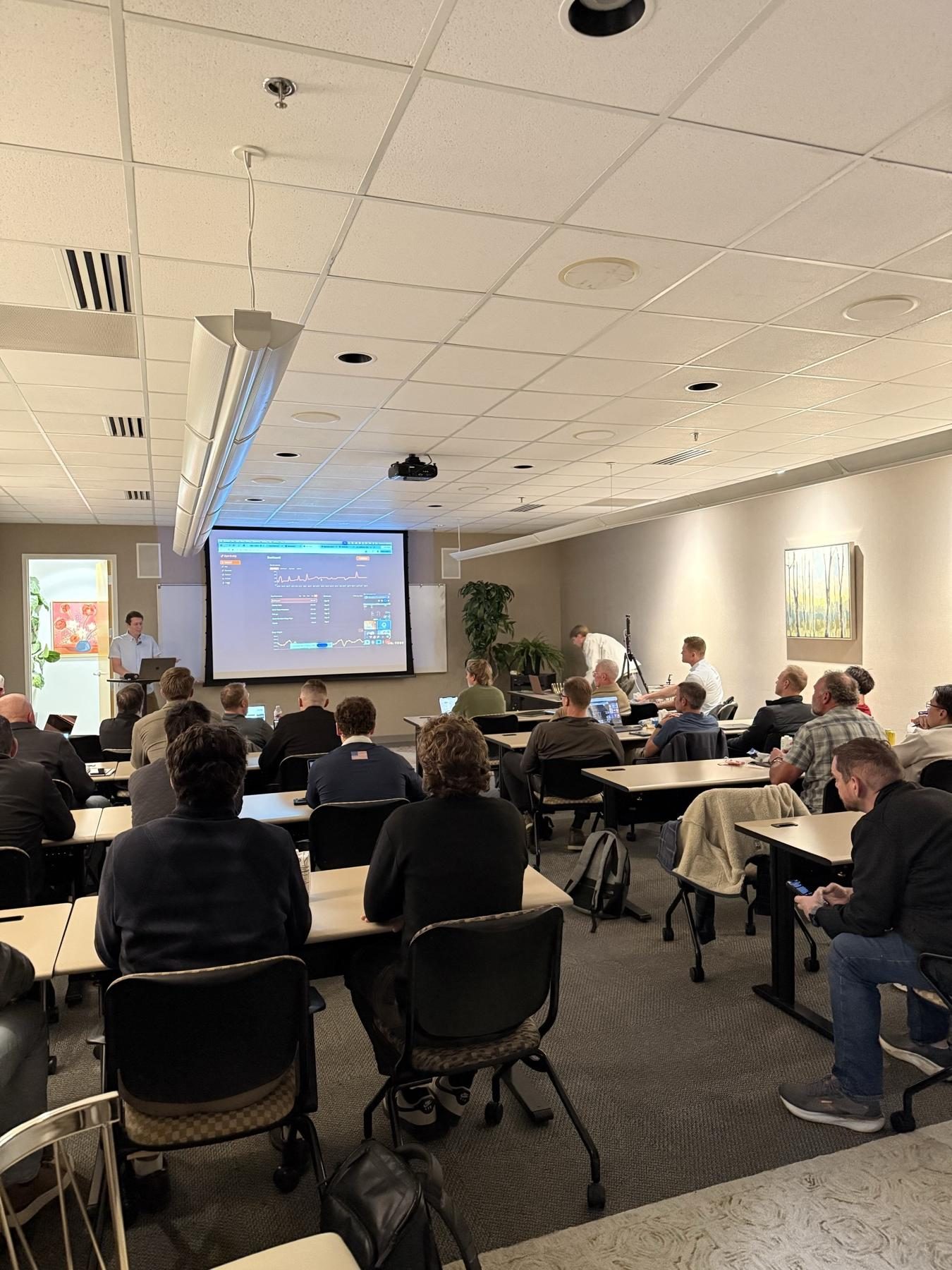
A full room at the AI Meet Up in Provo, watching a presentation
The night

A full room on a Wednesday night.

Business owners, entrepreneurs and AI enthusiasts filled the 5th floor in Provo, with more people joining online. Seven of them got up and showed their real screens and the real work behind them.

The questions kept coming, people kept trading tips after the last presentation, and by the end the room was asking how soon we could do it again. Twice a month, with hands-on workshops, was the most popular idea.

Your turn

How was it? What should we do next?

Whether you came, joined online, or just watched the recap, we'd love your take. It takes under a minute, and it shapes the next one.

Did you make it?
How was it?
How often should we meet?
Would you come to a hands-on workshop where we build things together?
Want to present next time?
Which presenters were most useful to you?
What do you want to learn next?
Anything we should do better?
Who's this from?
Please add your first name, last name and a valid email.

Thank you.

Got it. Your answers go straight to Matt and help plan the next AI Meet Up.

The big ideas

Eight things we took home.

If you only read one section, read this one.

01

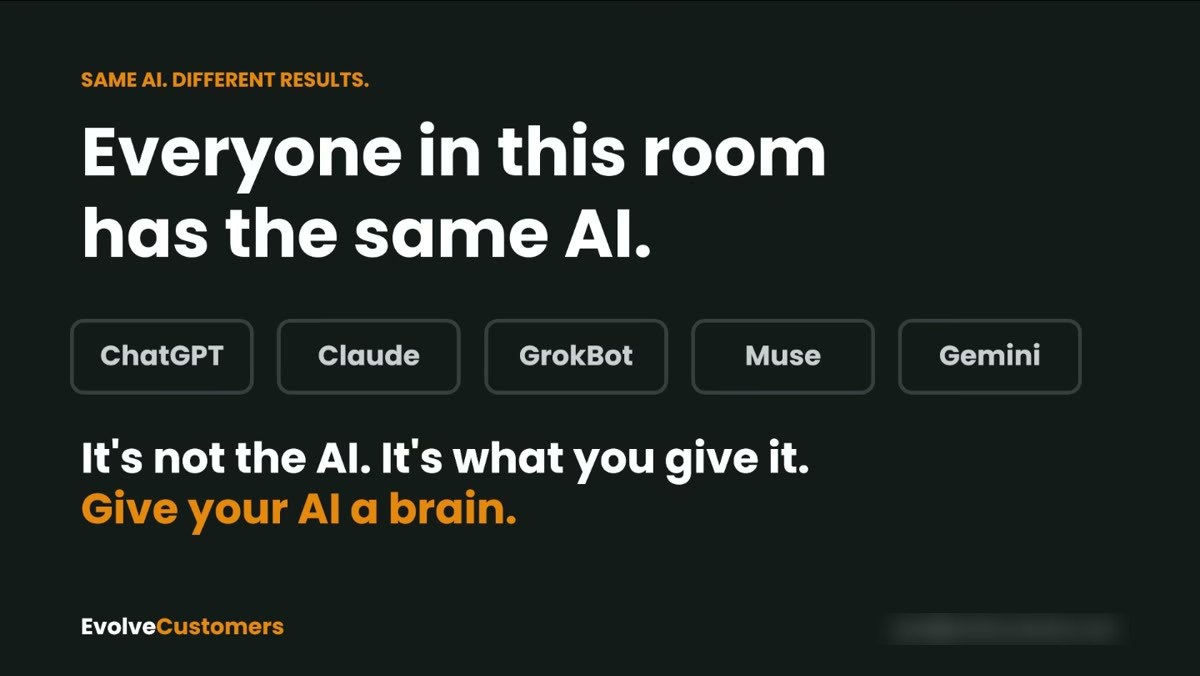
It's not the AI. It's what you give it.

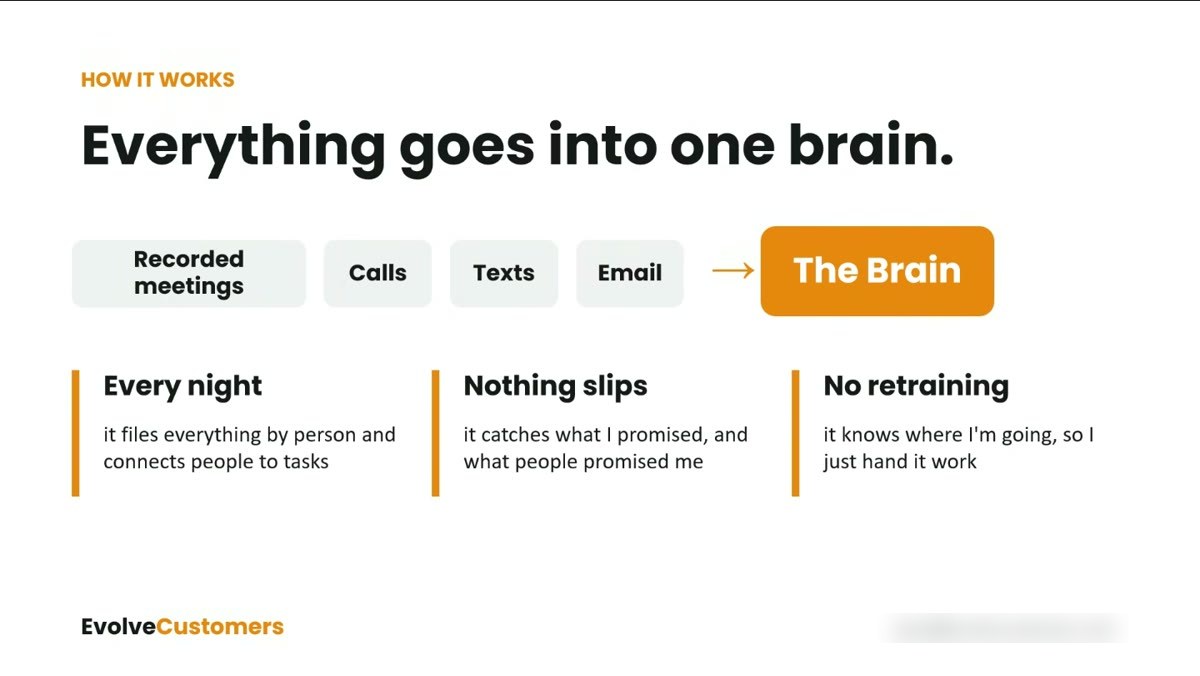
Everyone in the room had the same models. The people getting 10x results fed their AI a “brain”: calls, texts, email, meeting recordings and notes, all in one place it could search.

Jared Fenn
02

Hire an employee, don't order a gig.

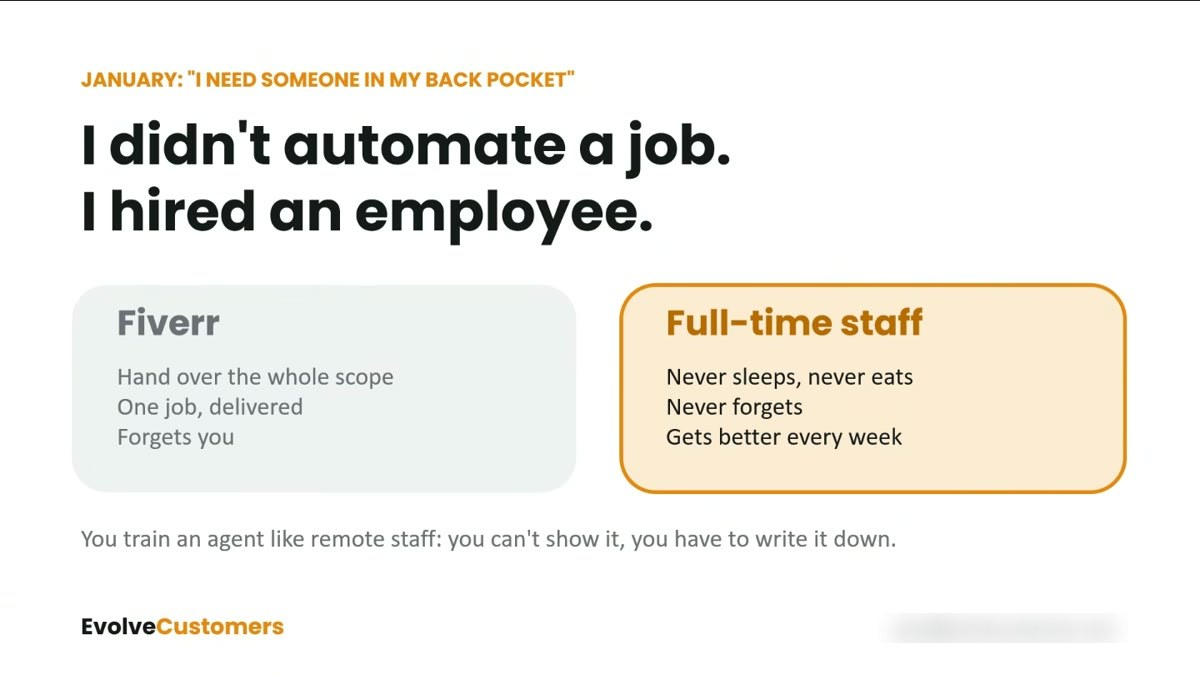
Most people use AI like Fiverr: one task, one result, start over. Jared treated his like full-time staff he trained once. You can't show it; you have to write it down.

Jared Fenn
03

You don't need to know how to code.

An English major built a permit-data business by talking to AI. A structural engineer built his firm's whole project system. They knew how it should work, not how to write the code.

Aaron Earnest · Jeremy Dye
04

Build small apps for your own problems.

A gym log, a family budget board, a recipe book that orders groceries. Free hosting and a free database made them cost nothing.

Perry Sessions · Alex Sisk
05

Skills and memory files beat long chats.

They saved what the AI learned into small files, wrote repeat jobs down as “skills,” and started fresh sessions often. Faster, more accurate, cheaper.

Chad Mckinney · Jared Fenn
06

Give the AI a structure to fill in.

When 20 to 30 project managers each used their own AI, every proposal looked different. A shared template made every result match.

Jeremy Dye
07

One AI manages, another checks.

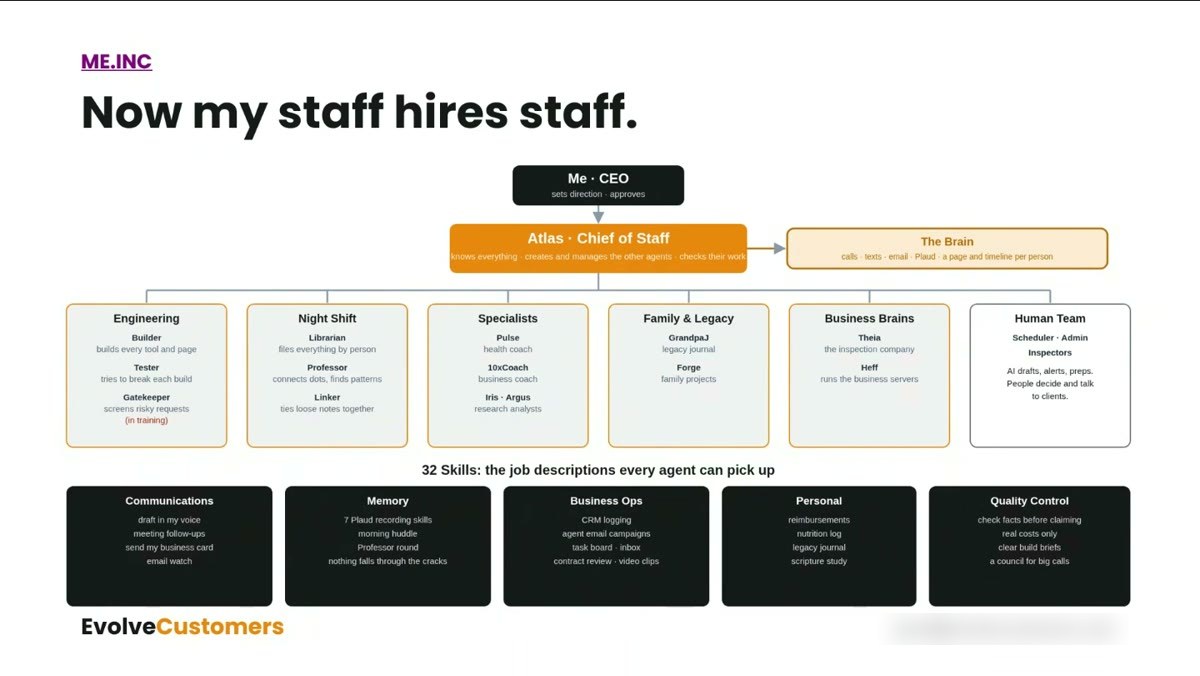
A “manager” or “chief of staff” agent handed work to specialists, and a separate reviewer checked it before it reached them.

Jared Fenn · Alex Sisk
08

Start with the boring, expensive thing.

Turning state textbooks into online courses saved one company about $100,000 this year, and pass rates went from about 50% to about 90%.

Jeff Davis
The 7 presenters

What each person showed.

In the order they presented. Every presentation is here in full, with the setup and dead air cut out. Turn on captions with the CC button. Tap any screenshot to see it full size.

Aaron Earnest
1 · Joined online

Aaron Earnest

Investor · Agenda Insider

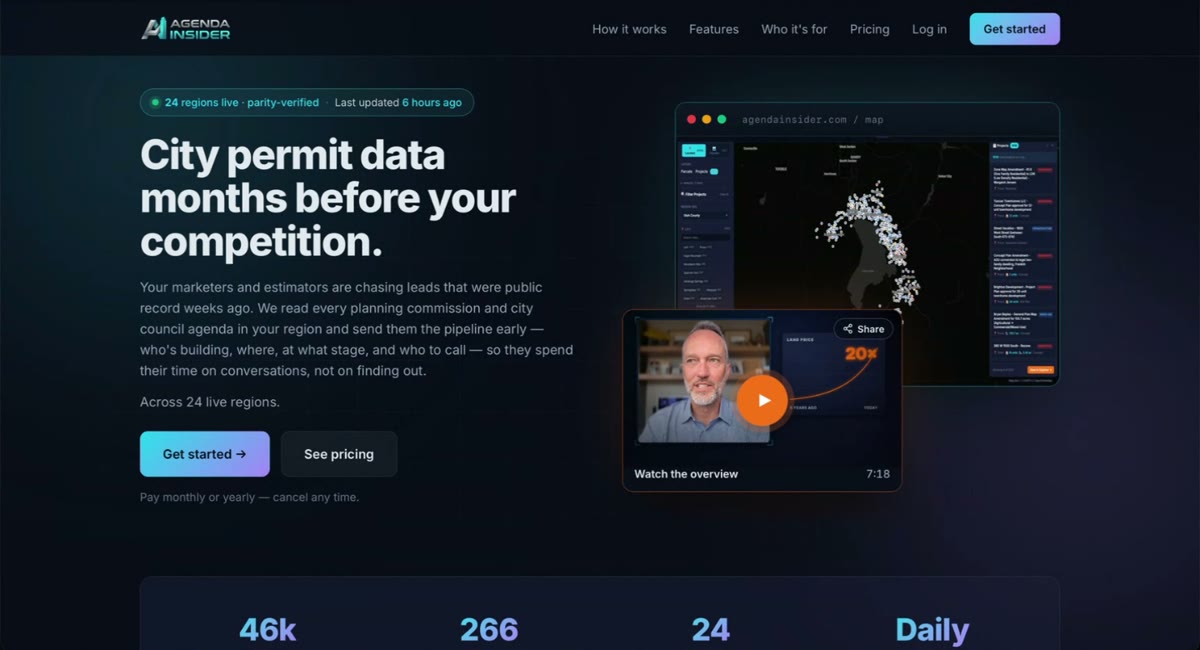
City permit data, months before the competition.

  • The problem: what gets built is decided in city council and planning meetings first, buried in thousands of pages of PDFs no one has time to read.
  • What he showed: AI that reads every agenda and packet from city websites, pulls out projects, applicants, parcels, unit counts and zoning requests with links back to the source, and sends alerts. He said it was live in 24 regions.
  • How he built it: he's an English major with no coding background. He spent about a year, around 50 hours a week, “managing a swarm of AIs” in VS Code.
  • Who uses it: he uses it as an investor, and a title company friend uses it to reach every ADU and small project. A friend passed on land by the new Springville I-15 off-ramp years ago, and it's now worth about 20x.
728Utah County projects15,718units and lots tracked
Try thisSit down and describe your idea to an AI coding tool out loud, like you're talking to a person. Aaron offered to walk anyone through the setup.
▶ Watch Aaron's full presentation9 min
Agenda Insider home page: City permit data months before your competition Agenda Insider map of Utah County projects
Perry Sessions
2

Perry Sessions

Co-founder of an online advertising agency · self-taught coder

Small personal apps, free tools, and a Chrome extension trick.

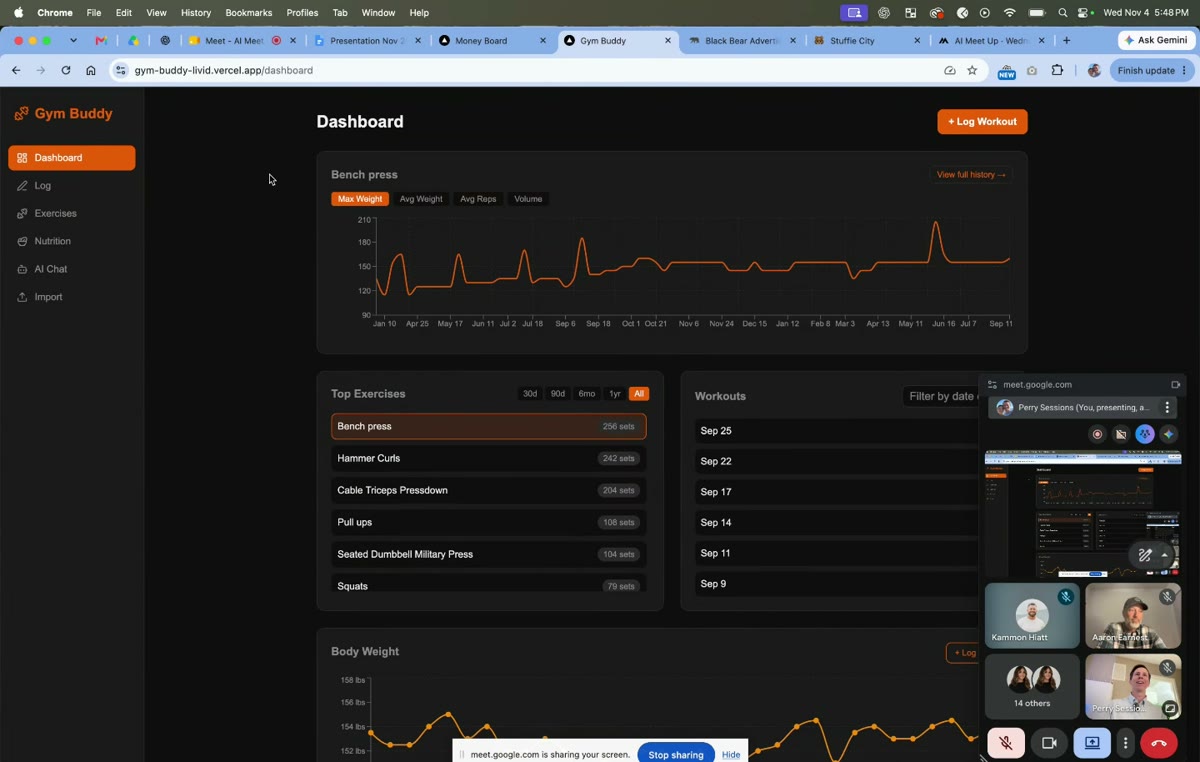
  • Gym Buddy: he imported a year of workout notes from his iPhone (no app could), charted his lifts and weight, and built in an AI coach that knew his goals.
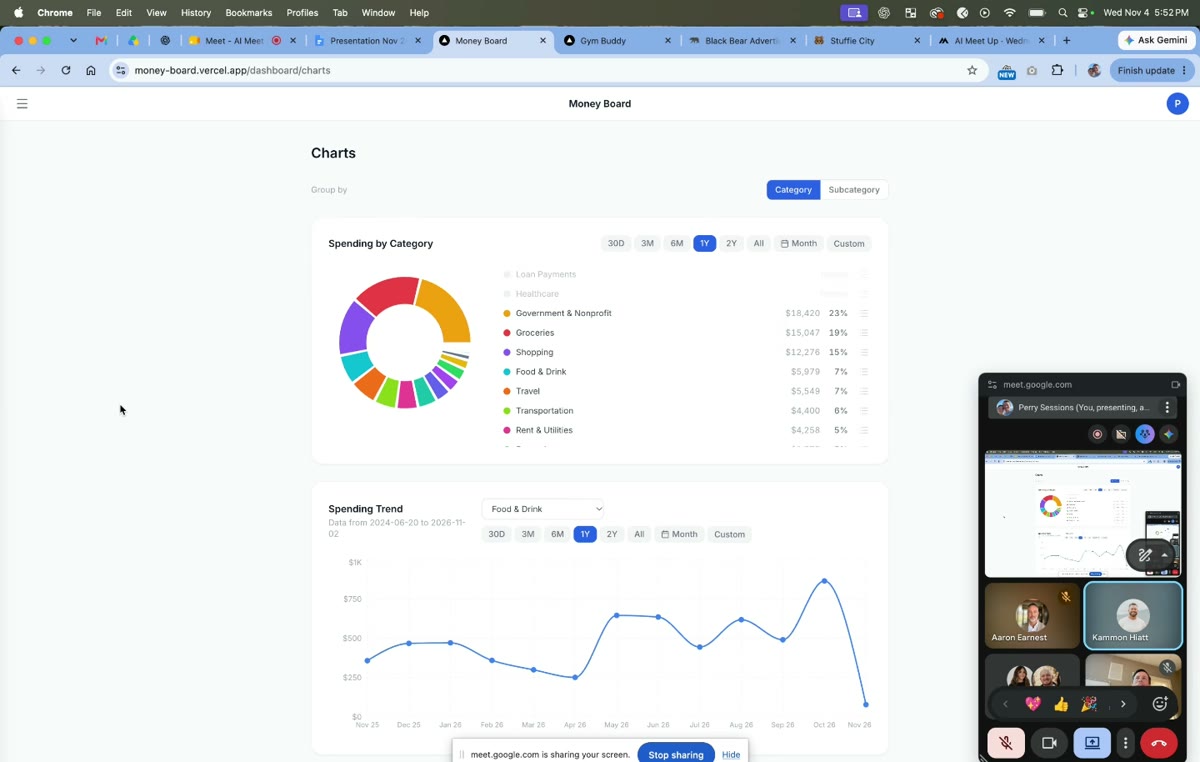
  • Money Board: it imported bank statements, sorted spending and answered questions. He noted ChatGPT can now connect to bank accounts (through Plaid) and do much of this for you.
  • His free stack: Vercel or Cloudflare to host, Supabase for the database and logins, GitHub for the code, and Gemini's free API to put AI inside an app.
  • Codex over Claude for images: he found ChatGPT's image tool edited product photos and labels far more accurately. Claude was great at code but didn't make images.
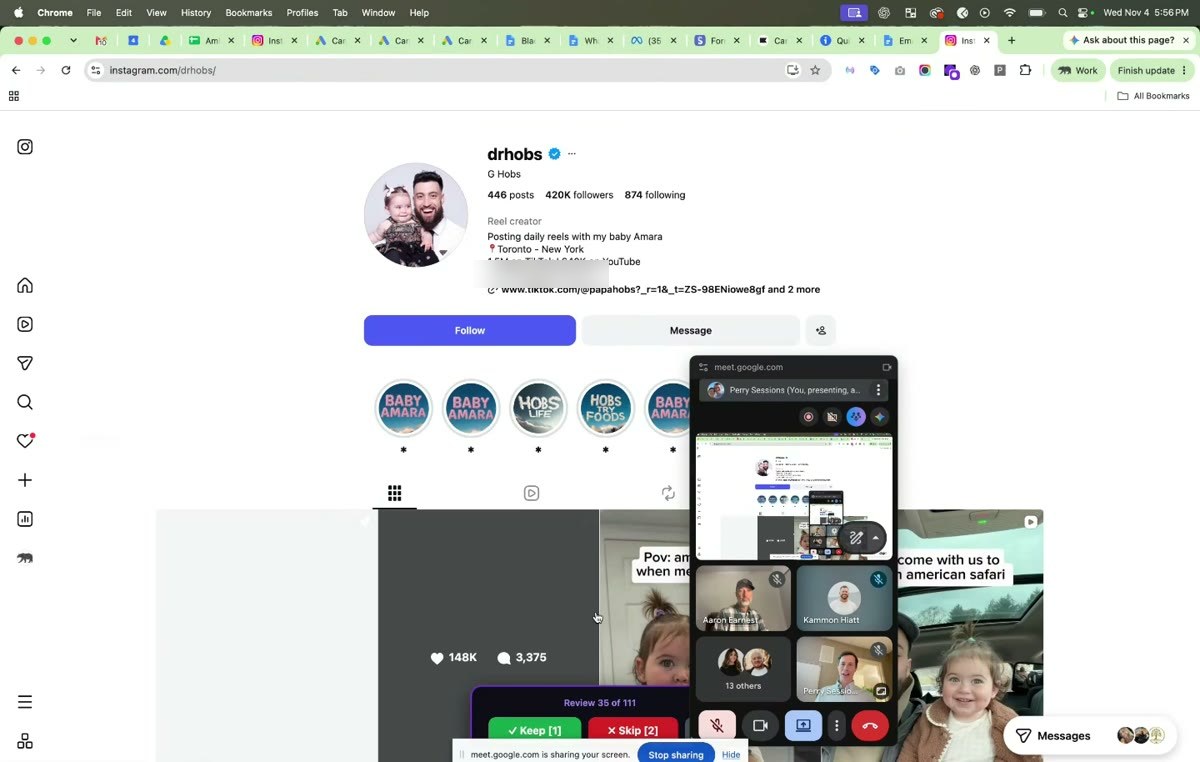
  • Chrome extensions: Instagram can't be automated, so AI built him an extension that scanned posts and filtered creators by follower count and bio. He clicked Keep or Skip, and AI drafted messages he sent himself.
  • Dictation: ChatGPT's dictation handled jargon like ROAS far better than built-in speech-to-text.
Try thisPick a repetitive clicking task in a website you use daily and ask AI to build you a Chrome extension for it.
▶ Watch Perry's full presentation12 min
Gym Buddy dashboard with bench press chart Money Board spending by category Chrome extension reviewing Instagram creators
Jared Fenn
3

Jared Fenn

Home inspector for 20 years · ran Nu Skin's first web team · Evolve Customers

“Give your AI a brain.”

  • Atlas, his chief of staff: “I didn't automate a job. I hired an employee.” Atlas runs mostly on Claude, on a rented cloud server (about $200 a year), so it works while he sleeps. He talks to it through Telegram and his own Android app, often while driving.
  • What feeds the brain: a Plaud pendant records his meetings all day, Quo transcribes his calls and texts, plus email. Every night Atlas files it all by person and catches what he promised and what others promised him.
  • The result he shared: Atlas pulled about 8,000 call transcripts, compared who booked to who didn't, found the patterns, and rewrote his quote page while he was in other meetings.
  • “Now my staff hires staff”: he showed Atlas managing teams of agents (a builder, a tester, a librarian that files everything, a health coach, a business coach) and 32 written skills any agent can pick up.
  • YouTube hub: Atlas watches the creators he follows, transcribes new videos, and tells him each morning what's worth knowing.
  • Own your brain: the memory lives on his server, not inside one AI company. If a provider cuts usage, he plugs in another model.
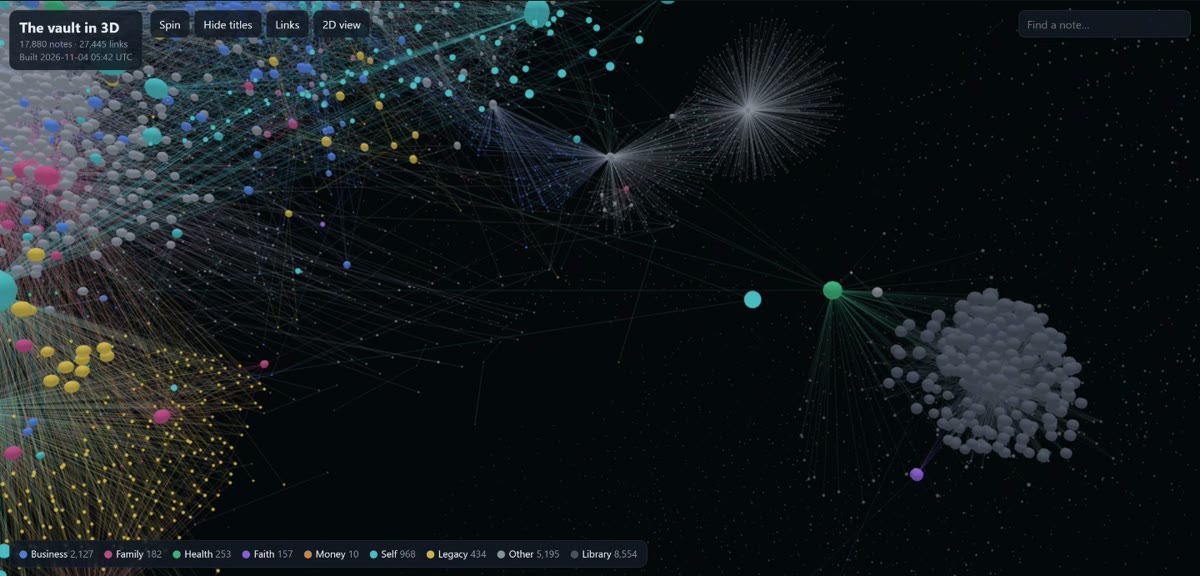
17,880notes in his AI's brain32skills
Try thisStart recording your meetings and calls and give your AI the transcripts every day. Then look up Garry Tan's open-source “second brain” work.
▶ Watch Jared's full presentation16 min
Slide: Everyone in this room has the same AI. Give your AI a brain. Slide: I didn't automate a job. I hired an employee. Slide: Everything goes into one brain 3D map of 17,880 linked notes Slide: Now my staff hires staff, Atlas org chart with 32 skills
Jeremy Dye
4

Jeremy Dye

Structural engineer · Epic Engineering

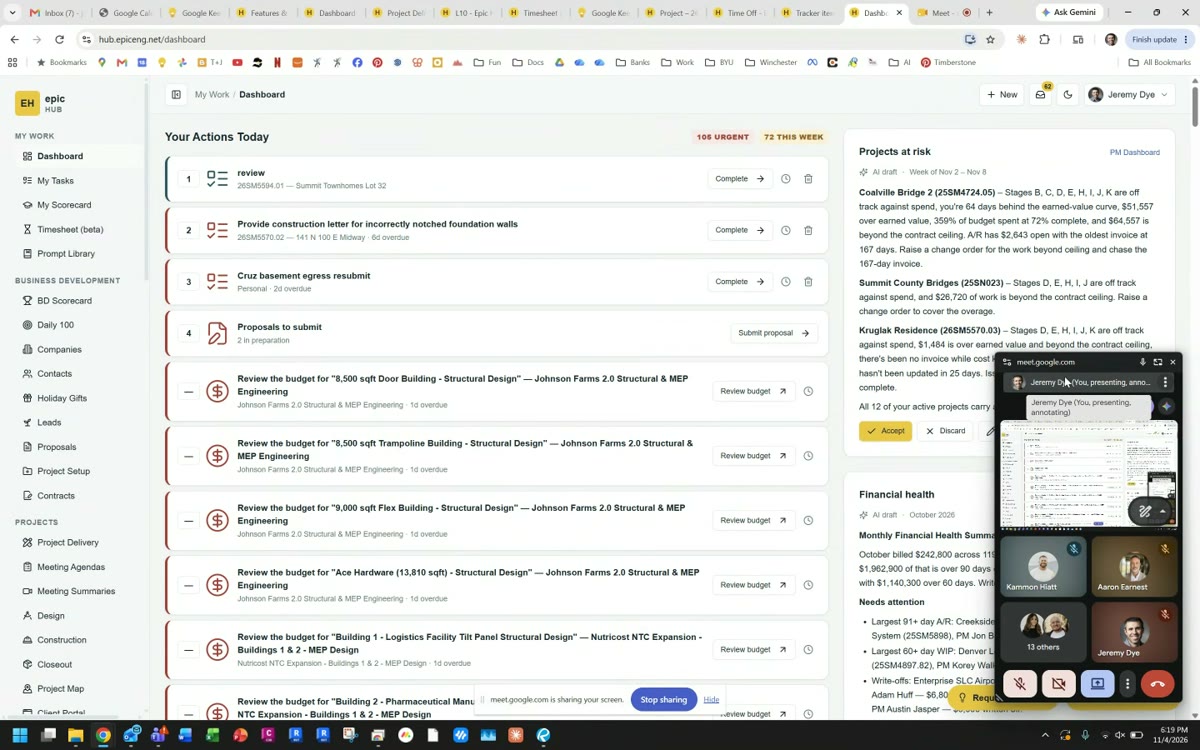
An AI-built, AI-run hub for the whole company.

  • The goal: 20% more efficiency. Jeremy, a structural engineer by training, built it in about five months at about 30 hours a week. They said outside quotes had been 18 months.
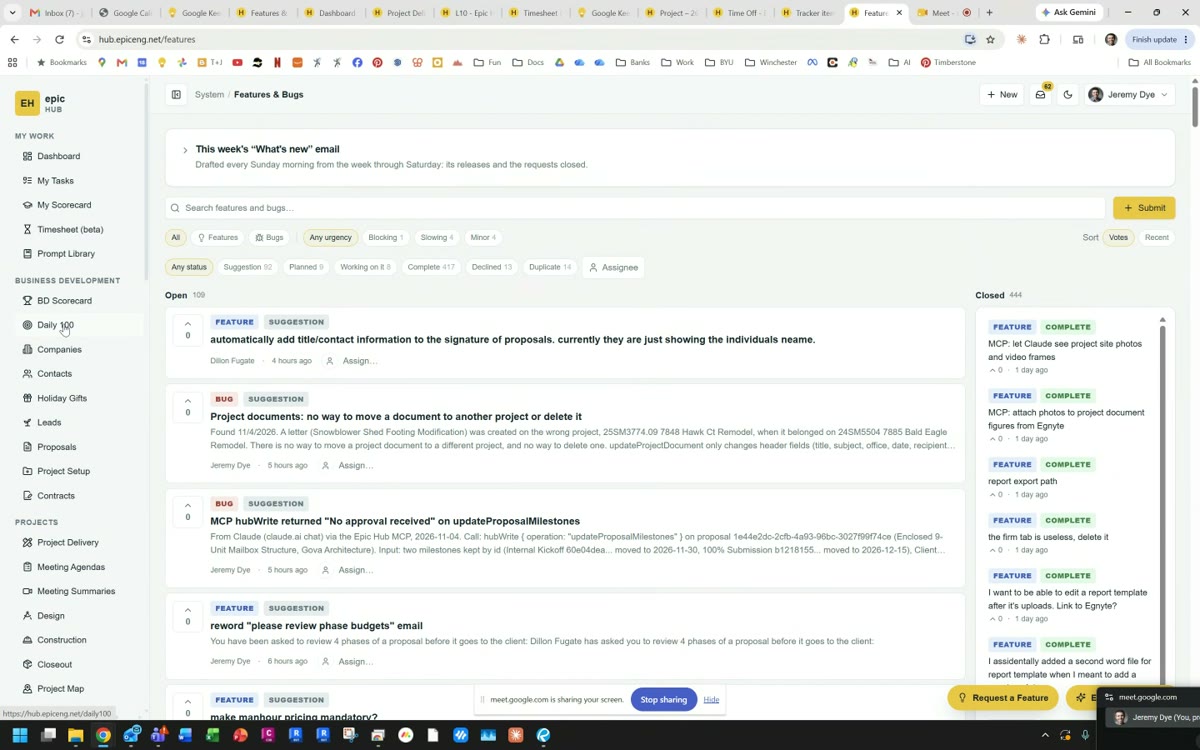
  • What it runs: each person's actions for the day, tasks, scorecards, timesheets, a CRM with “who to call next,” proposals, contracts, project budgets, drawing checks, and meeting notes with assignments.
  • Field reports: Jeremy narrated a video walking a site, and the hub pulled the photos and wrote a nine-page report on letterhead from a one-paragraph prompt.
  • Same look every time: everyone's own AI had made proposals look different. A shared structure fixed it.
  • Talk to it from any AI: “I just got off the phone with so-and-so, add this lead,” and the hub updates. Employees request features, and AI builds many of them.
4 hrs → 15 minper proposal
Try thisFind your most time-consuming repeat document and build one template and one prompt that produce it every time.
▶ Watch Jeremy's full presentation14 min
Epic Hub dashboard: your actions today and projects at risk Epic Hub feature request board
Alex Sisk
5

Alex Sisk

BYU MBA student · AI consulting

“I don't write most of the code. I run the team that does.”

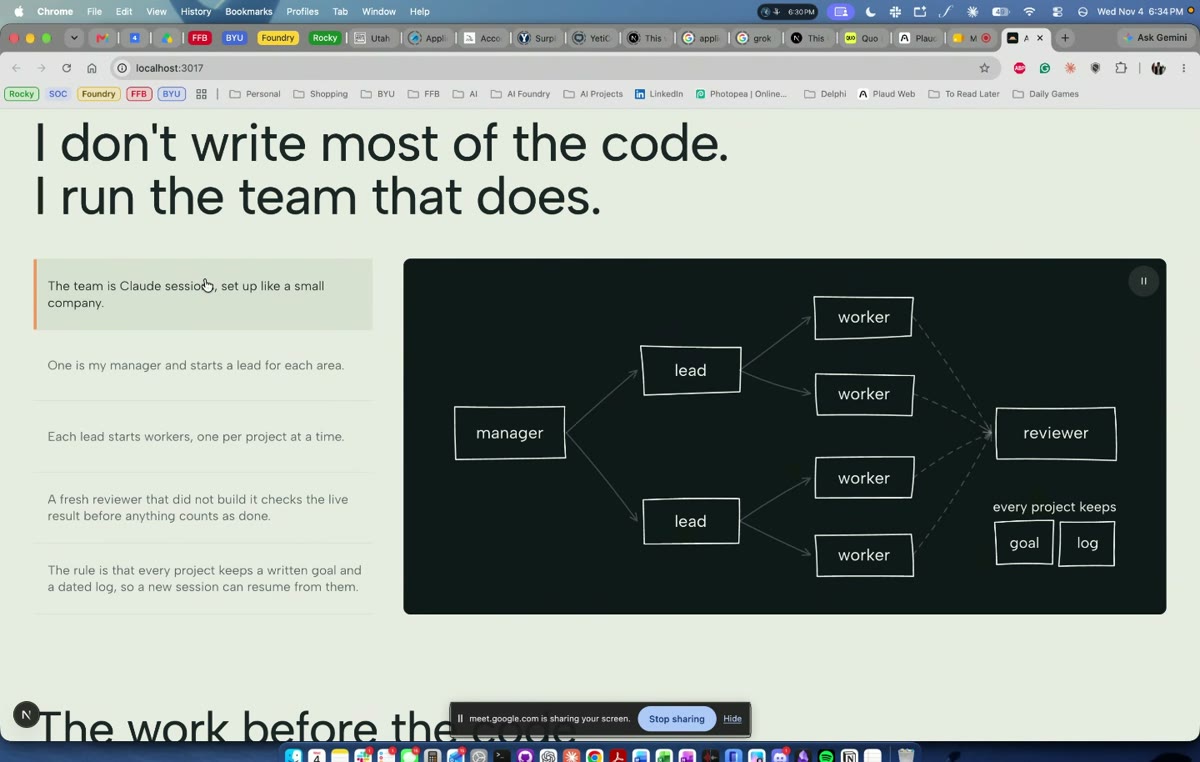
  • A small company of Claude sessions: one Manager starts a Lead for each area, Leads start Workers, and a fresh Reviewer checks the live result before anything counts as done.
  • The rule that makes it work: every project keeps a written goal and a dated log, so any new session can pick up where the last one stopped.
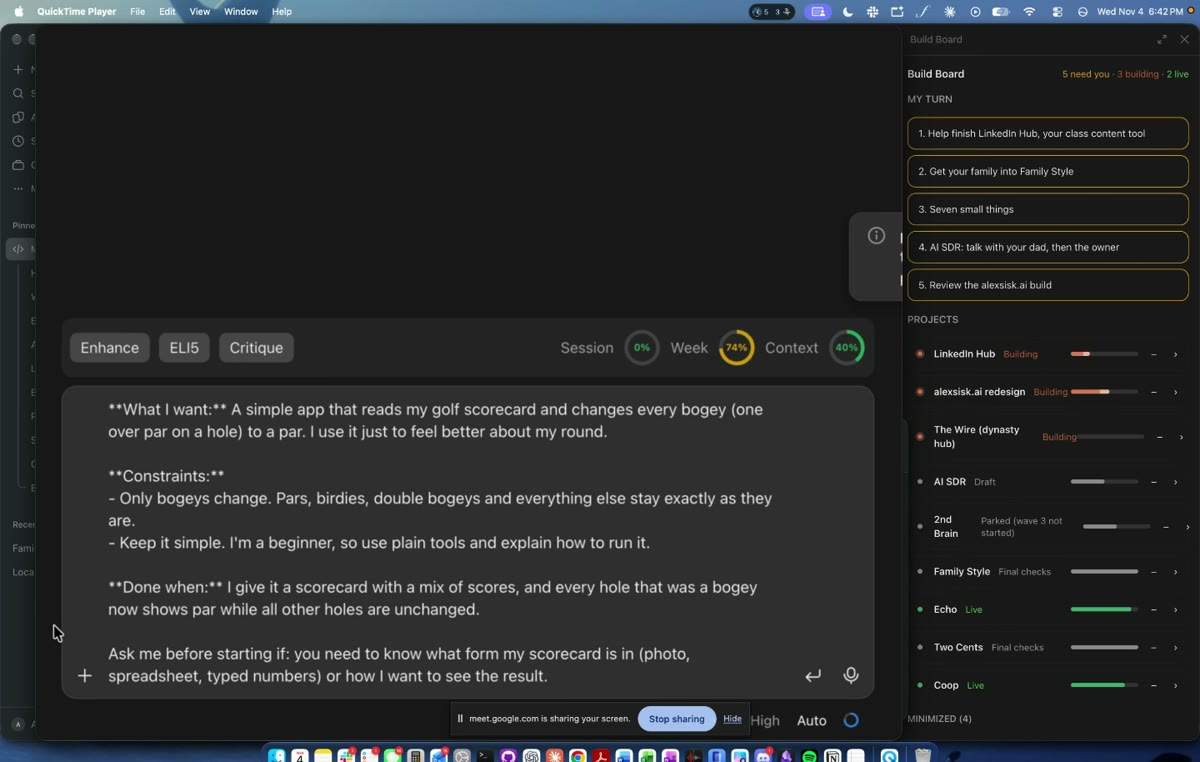
  • The Enhance button: he talked a messy idea into the prompt box, tapped Enhance, and it became a clear request with what I want, constraints, “done when,” and “ask me before starting if.”
  • 100 test readers: before a LinkedIn post reaches him, 100 sub-agents each play a LinkedIn user and react to it.
  • Personal apps: like a family recipe book that builds a grocery list and orders it from Walmart.
Try thisBefore your next big request, ask the AI to rewrite your idea as: what I want, constraints, done when, and what to ask me first. Search “Claude mods” for more ideas.
▶ Watch Alex's full presentation12 min
Slide: manager, leads, workers and reviewer diagram Enhance button turning a short idea into a full prompt, with a Build Board
Chad Mckinney
6

Chad Mckinney

Software engineering manager · business software integrations on the side

Skills and memory files do the heavy lifting.

  • Memory: he saves what he learns into small files for each client and project and never stays in one chat long. Save, start fresh. Very few tokens.
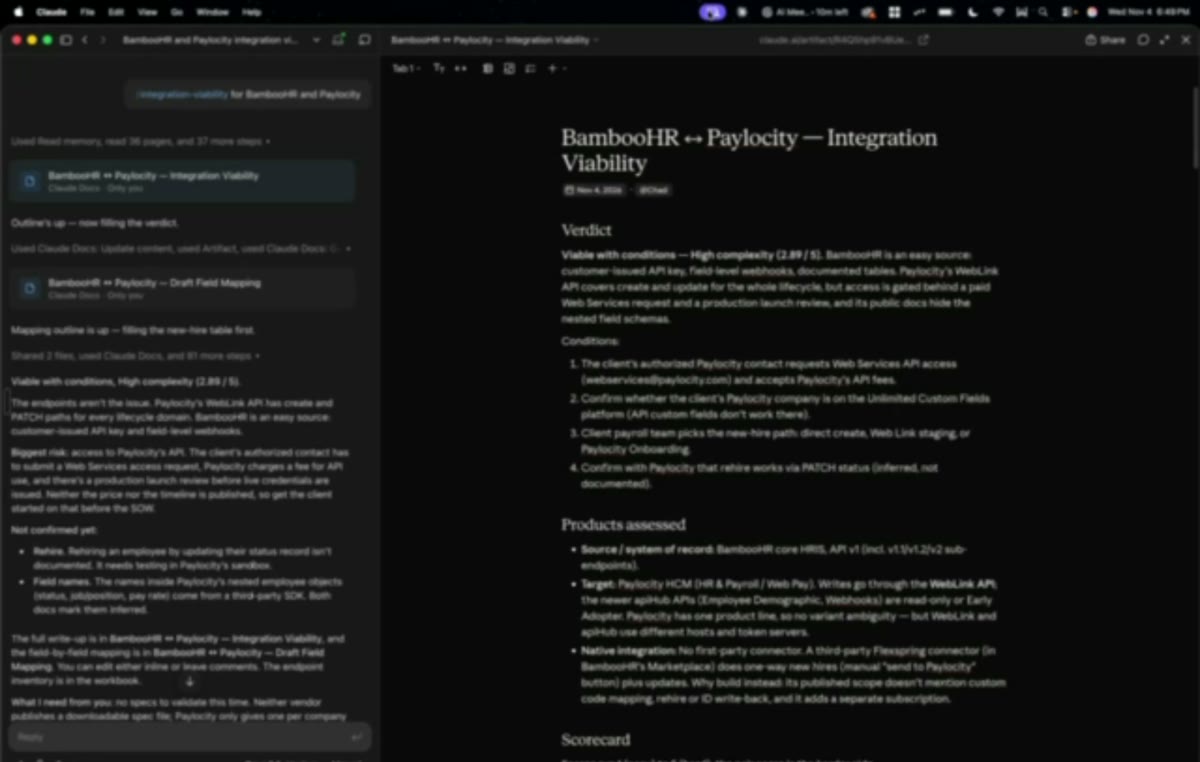
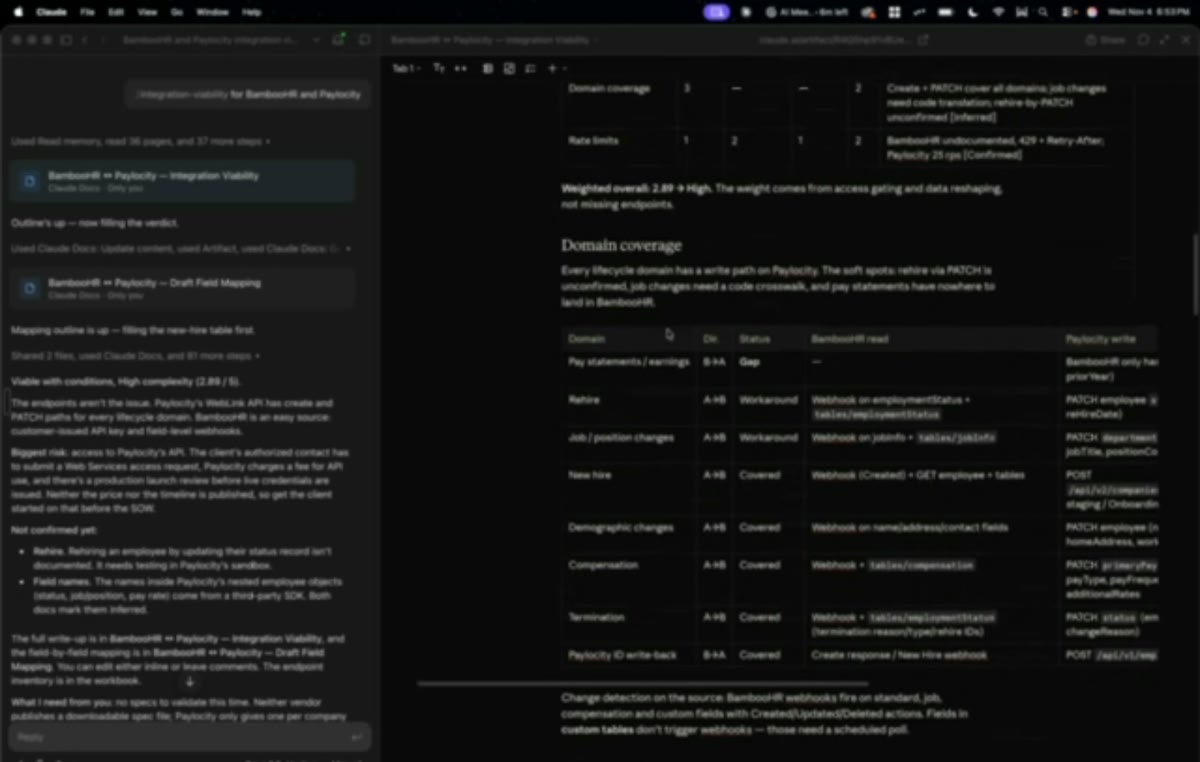
  • His “integration viability” skill: it read all the public documentation for two systems (his example was BambooHR and Paylocity), rated each source by how trustworthy it was, and scored the job: setup, limits, risks, complexity, and the questions to ask the client.
  • From meeting to scope: Granola records the client call, Claude reads it with the skill, and a statement of work comes out.
  • Keeping secrets out: passwords and keys stay in local files the AI can use but never sees.
  • AI builds it, AI doesn't run it: the finished integrations run without AI, so there's no ongoing AI cost or risk.
Try thisWrite down how you size up a new job as a checklist, and turn it into a skill your AI runs every time.
▶ Watch Chad's full presentation12 min
BambooHR to Paylocity integration viability report Integration scorecard and domain coverage table
Jeff Davis
7

Jeff Davis

Compliance and licensing · Alta Pest Control, 13 states

400-page textbooks into online courses.

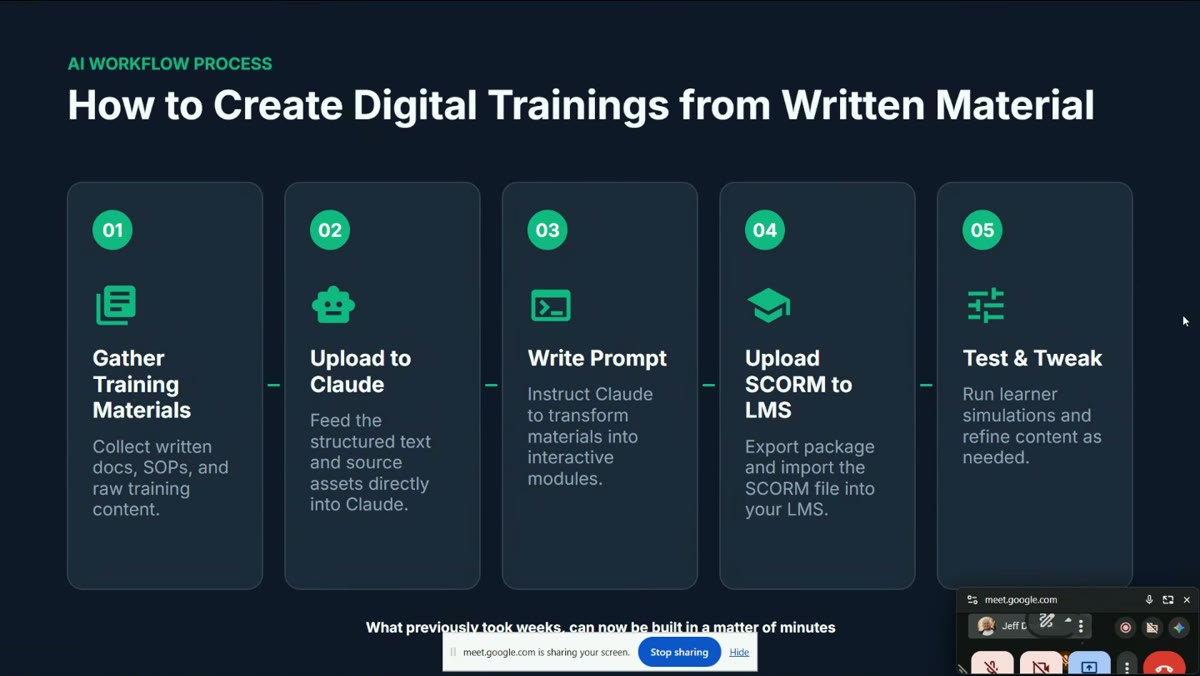
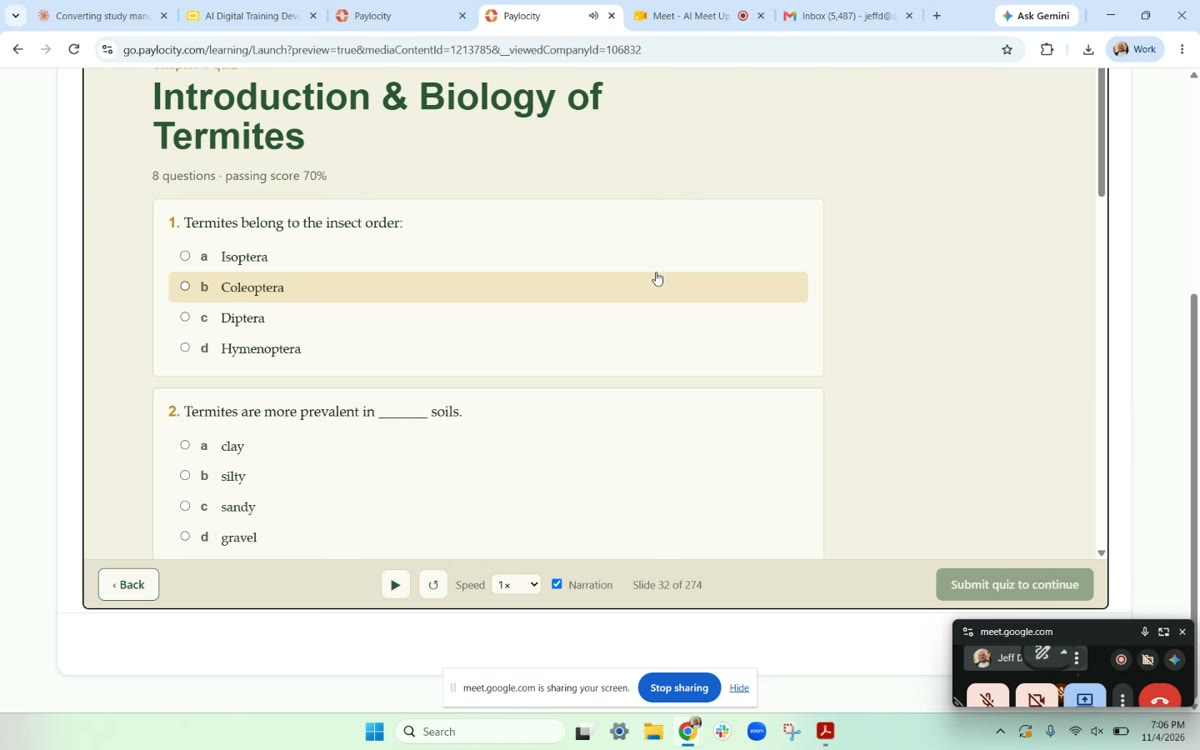
  • His process: gather the state material (he even unbound physical books and had them scanned), upload to Claude, ask it to build interactive lessons, export a SCORM file, load it into the company's learning system, then test and tweak.
  • What's SCORM? A standard course package that drops into almost any learning system (Moodle, Canvas, Paylocity and more).
  • Why it beat the $200 courses: it covers only what their techs actually do, so people learn faster and pass more.
  • What's next: selling the courses to other companies at half the price.
$100Ksaved this year50% → 90%exam pass rate
Try thisUpload your training manual or SOPs to Claude and ask for a short course with a quiz at the end.
▶ Watch Jeff's full presentation6 min
Slide: How to create digital trainings from written material in 5 steps Termite biology quiz built by Claude, running in Paylocity
Your to-do list

Things to look into or implement.

Check them off as you go. Your checkmarks stay on this device.

This week

Free or close to it

This month

A few hours each

Bigger builds

When you're ready
Tools mentioned

Everything named on stage.

ToolWhat it isWho mentioned it
Claude / Claude CodeAnthropic's assistant and coding agent: skills, memory, sub-agentsJared, Alex, Chad, Jeff, Jeremy
ChatGPT / CodexOpenAI's assistant and coding agent: strong image editing and dictationPerry
Gemini APIGoogle's AI with a free tier, to put AI inside your own appPerry
GrokBot, MuseOther assistants people in the room usedJared, attendees
VS CodeFree code editor that connects to AI modelsAaron
Vercel, CloudflareFree hosting for websites and appsPerry
SupabaseFree database and loginsPerry
GitHubStores your code; AI edits it for youPerry, Alex
PlaidSecurely connects bank accounts to appsPerry
PlaudWearable recorder that transcribes your dayJared
QuoBusiness phone that transcribes calls and textsJared
GranolaMeeting recorder that connects to ClaudeChad
ObsidianNotes app that links ideas into a mapJared
TelegramChat app to talk to your agent from your phoneJared
Hostinger (VPS)Rented cloud server so agents run 24/7, about $200 a yearJared, Chad
MCPA standard way to plug your own tools and data into AIJeremy, Chad
SCORMStandard package format for online coursesJeff
Agenda InsiderAaron's city agenda and permit data serviceAaron
Open floor

From the room.

Assistants that talk to each other

One attendee described connecting several AI assistants to one shared knowledge base so they could hand work to each other, and talking to his assistant from his Tesla to update spreadsheets and his calendar.

Relationships get more valuable

Information is getting cheap. Several people said relationships are the one thing AI can't replace, so build them now.

Custom beats one-size-fits-all

Instead of paying for big software with 40 menu items you don't use, people said you can now build exactly what your business needs and change it on the fly.

“Don't make me learn to code”

A builder asked how to get this without doing it himself. The room's answer: if you know how it should work, the barrier is low, or hire someone sharp to build what's in your head.

How often should we meet?

The room wanted more. Ideas included twice a month plus hands-on workshops where people build together.

Watch your usage limits

Heavy users said they hit their monthly AI limits. Short sessions, memory files and fewer always-on skills kept them under.

Full transcript

Every word, with timestamps.

Machine transcribed from the recording and lightly corrected, so small errors remain. Marked by presenter so you can jump to the part you want.

Download transcript
Read it here
Loading…
Copied